
Sources checked 22 November 2026.
When you run a one-man garage, you are the technician, receptionist, parts chaser and person sending the invoice. The software has to make that combination manageable. A system designed around a service desk, several departments and a central accounts team may solve problems you do not have.
Garage management software for small garages should begin with your working day. You need to know what is booked, what the customer agreed, which job is waiting and what remains unpaid. Everything else should earn its place by helping with a real task.
This guide is for a UK sole trader or very small workshop moving from a paper diary, spreadsheets and messages. For a broader shortlist, see the seven UK software options compared.
The five essentials
A usable booking record. You should be able to see the appointment, vehicle, customer and intended work. Leave room for diagnosis or inspection rather than treating every reported symptom as a confirmed repair. A full diary is not the same thing as a realistic schedule.
A connected job record. Keep findings, relevant evidence, parts and next actions together. If the job pauses for a delivery, the record should tell your future self what to chase when you return. Avoid recreating the same details in several places.
A clear customer decision. Record what you proposed and what the customer actually accepted. A message saying “fine” needs context: which version, which items and which amount? Keep revisions understandable rather than overwriting the history of the decision.
Agree extra work before carrying it out. Business Companion’s motor-repair guidance, covering England, Scotland and Wales, explains why an unexpected extra cost needs a customer decision rather than a silent change to the original quote.
Quotes and invoices. Create readable, itemised documents with the appropriate business and tax information. Check the totals and the completed scope. A quotation, an invoice and a payment record represent different things; the workflow should keep that distinction visible.
Check the official invoice requirements for your business type, including invoice identity, supply and invoice dates, business details and applicable VAT. Use the worked garage invoice example to practise the document sequence without copying its teaching prices into a real job.
Payment status. You need to know what is paid, part-paid or outstanding. A sent document is not proof of receipt of funds. If you use accounting software or an accountant, establish how the workshop record reaches them and who reconciles it.
What can wait?
Complex branch reporting is unlikely to be the first requirement of a single-location owner-operator. Deep stock valuation may be unnecessary when most parts are purchased against a job. A custom dashboard is not automatically more useful than a reliable view of today’s unfinished work.
That does not mean advanced features are bad. They become useful when the business needs them. The mistake is letting a large feature list define the process before you have identified the problem you want to solve.
Write a short “needed now” list and a separate “might need later” list. Ask suppliers to demonstrate the first list before discussing the second. A system that completes your current workflow cleanly deserves more attention than one that looks impressive only in a hypothetical larger business.
Use one job to choose software
Make a practice booking for a customer reporting an intermittent noise. Record the inspection scope, add a finding and prepare a proposal. Then record a partial approval, a parts delay, the completed work and an invoice.
Stop the exercise halfway through and come back later. Can you tell what is approved and what happens next without remembering the demonstration? That is a useful test for a one-person garage because most handovers are between today’s you and tomorrow’s you.
Also try the device you expect to use. A screen that feels straightforward at a desk may need a different routine on a phone. Check your internet access where you work, particularly if you also do callouts. Do not assume a browser product works offline unless the supplier explicitly supports the workflow you need.
A first week that does not consume the workshop
Day one: configure the essentials. Enter the correct business details, local settings and appropriate tax configuration. Decide how you will identify jobs and which contact information is actually needed. Use practice records while learning the document flow.
Day two: add new work. Start recording new bookings instead of trying to import every old note at once. Keep existing records available in their current location until you have a deliberate archive or migration plan. Avoid two competing records that both appear to be authoritative.
Day three: follow one live process carefully. Once you understand the product, take a suitable job through findings, proposal, decision and invoice. Check every customer-facing document before sending it. Learning a system is not a reason to guess about the actual job.
Day four: review open work. Look for jobs waiting on a part, customer response or your own next action. Write the action and the next customer update time. A tidy status board is useful only if its information is current.
Day five: reconcile. Compare completed jobs, issued documents and received payments. Note repeated typing or missing information, then change the process deliberately. You do not need to configure every available report during the first week.
How much should a small garage spend?
There is no correct percentage of revenue or universal monthly budget. Start with the features you need and the complete bill. Check setup, required users, SMS, lookups, integrations and payment-processing costs alongside the subscription.
HoodHero currently advertises introductory UK web prices of £12.99 per month or £120 annually, with taxes and final terms at checkout. Twelve monthly payments at that introductory rate total £155.88. The seven-day web trial needs no card, so you can evaluate the workflow before choosing to continue.
Other products belong in the evaluation too. A lower-cost alternative may suit a different workflow; a more expensive system may include a capability your garage genuinely needs. Our UK cost guide shows the assumptions behind published price comparisons rather than treating every package as equivalent.
Where HoodHero fits
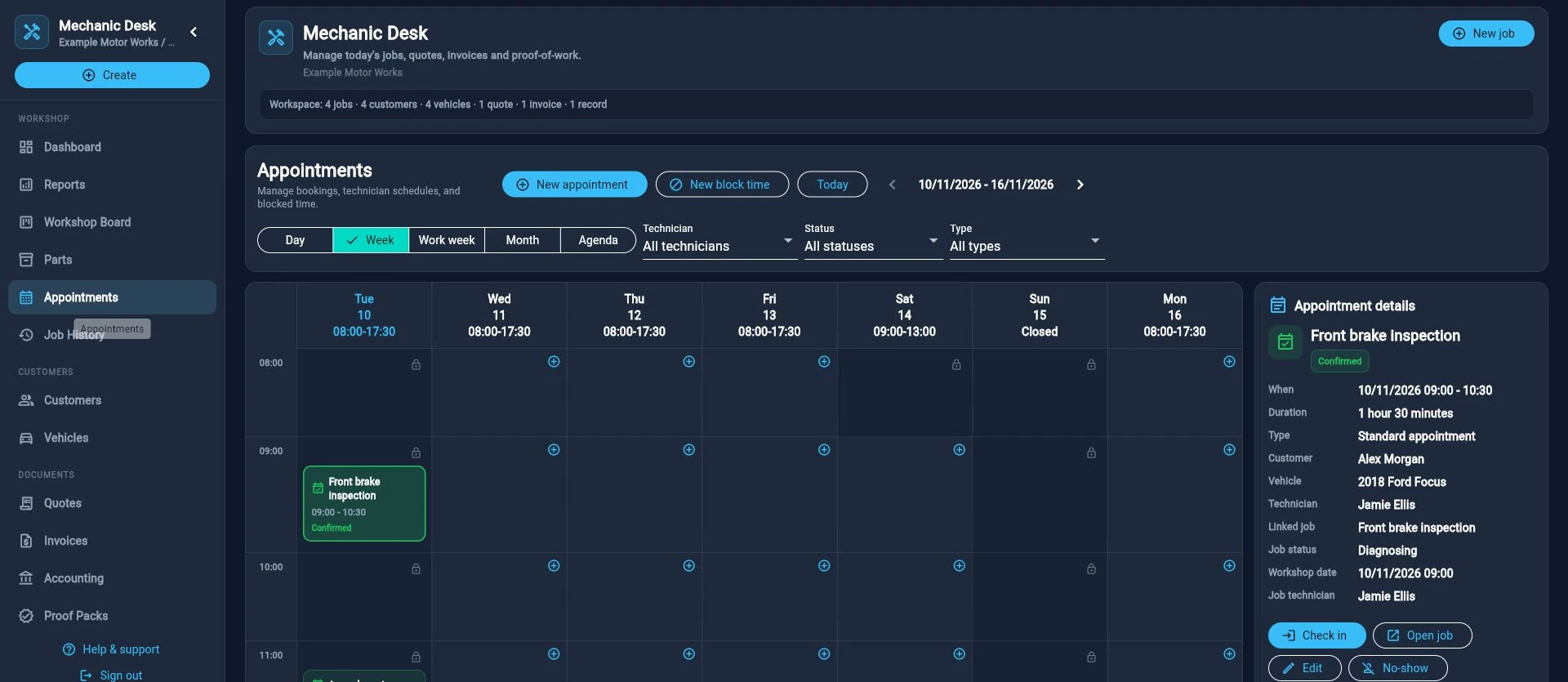
HoodHero’s Mechanic Desk connects appointments, customers, vehicles, job stages, parts tracking, quotes, approvals, invoices and payment status. You can inspect the real product screens and public guide before making an account. The current web workspace includes unlimited team members if your business later adds someone.
Its parts tracking should not be mistaken for a claim to replace every advanced inventory system. It is also not a replacement for statutory accounting, payroll or professional diagnostic judgement. Define those boundaries in your buying checklist so you know when another product or service is required.
If you already use Xero or QuickBooks Online, check the supported company, currency and tax mappings before connecting live records. If you prefer a CSV handoff, agree that process with your accountant. “Integrated” still requires the right setup and review.
Keep the habit small and consistent
At the end of each working day, review open jobs and ask what needs to happen next. Keep the current customer promise separate from an internal task or an uncertain completion estimate. Our workshop board setup guide explains how to make that daily review useful.
Start with a workflow you can maintain when the workshop is busy. You can add reports, automation and more detailed processes when there is a real reason. The first success is simply opening a job and understanding the work, the decision and the next action without searching through yesterday’s messages.